






Description
Create and Explore Infinite Worlds in MapleStory Worlds
Overview
MapleStory Worlds is a free-to-play adventure game developed by Nexon, offering a modern evolution of the beloved MapleStory franchise. Built on the foundation of classic gameplay and iconic aesthetics, this desktop application empowers players to create, explore, and engage in a dynamic ecosystem of user-generated content. The software serves as both a gaming platform and a creative toolkit, enabling users to design custom games, levels, and experiences while enjoying those crafted by the global community. It is tailored for fans of role-playing, multiplayer interaction, and creative expression, appealing to both seasoned players and aspiring game designers.
Real-world usage scenarios include building narrative-driven adventures, designing puzzle challenges, or hosting social gatherings within virtual worlds. The game’s emphasis on limitless creativity and community collaboration fosters a vibrant, evolving environment where stories unfold across multiple servers. While the developer did not provide additional system requirements, the software is available for Windows and Mac, supporting a broad audience of desktop users. Its core value lies in blending nostalgic visual style with modern world-building tools, delivering a fresh yet familiar experience.
Key Features & Capabilities
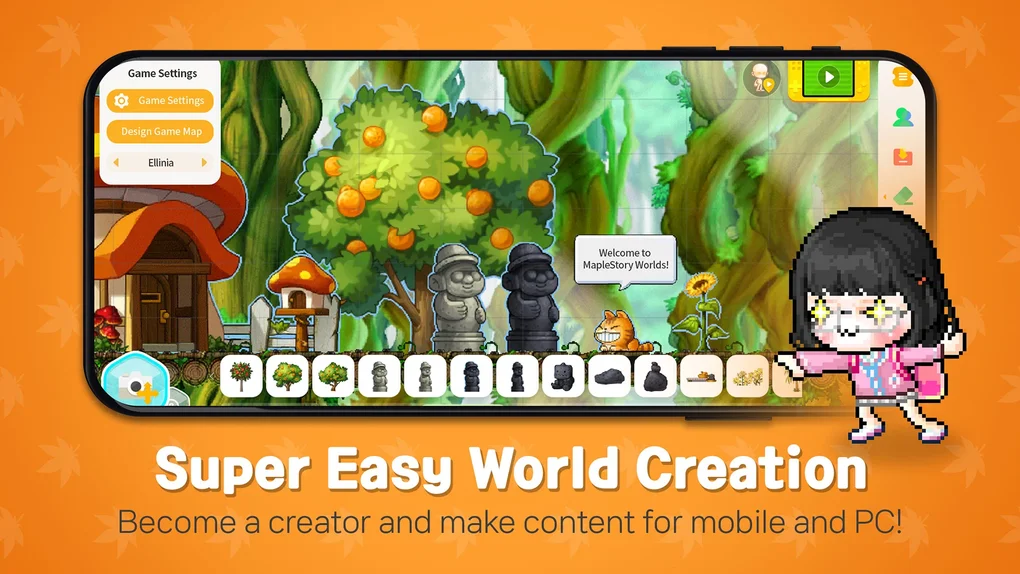
- World Creation Tools – Players can design custom maps, set game rules, and integrate assets from the MapleStory universe to build unique experiences such as platformers, puzzle games, or story-driven adventures.
- User-Generated Content Library – Access a growing collection of player-created worlds, offering diverse gameplay styles and themes to explore without relying solely on official content.
- Multiplayer Online Integration – Supports real-time collaboration and interaction across servers, enabling shared gameplay, cooperative missions, and social engagement in dynamic environments.
- Character Customization & Asset Library – Utilize the iconic art style and extensive library of in-game assets to personalize avatars and environments, maintaining visual consistency with the original MapleStory series.
- Modernized Interface & Graphics – Features a clean, intuitive UI and updated visuals that enhance accessibility while preserving the nostalgic charm of the franchise.
These features support a wide range of use cases, from casual exploration to advanced game development. For instance, a player might create a cooperative escape room challenge and invite friends to solve it, or explore a community-made fantasy realm with unique mechanics. The combination of familiar assets and flexible tools lowers the barrier to entry for creative experimentation, making it accessible to both beginners and experienced creators.
User Interface, Workflow & Performance
The user interface is structured around a central dashboard that organizes world creation, exploration, and social features. Navigation is designed to be intuitive, with clearly labeled panels for asset selection, level editing, and multiplayer matchmaking. Workflow efficiency is enhanced by drag-and-drop functionality and preset templates, streamlining the process of building and launching games.
Performance observations are based on general software behavior patterns. The developer did not specify resource usage details, and exact performance metrics were not provided. However, the software’s reliance on real-time multiplayer connectivity and graphical rendering may impact responsiveness on lower-end hardware. Stability is expected to be consistent with similar desktop applications, though occasional performance issues have been reported by users on less powerful devices. The game requires a constant internet connection, which affects offline usability and may influence performance in regions with unstable connectivity.
Compatibility & System Requirements
MapleStory Worlds is available for both Windows and Mac operating systems. The software has a file size of 1.5 GB, indicating a moderate installation footprint. The release version is 1.0, suggesting an initial stable launch with foundational features. The developer did not specify exact system requirements, including CPU, RAM, or GPU specifications. Compatibility information was partially provided, with no mention of minimum hardware thresholds or supported graphics drivers.
Users are advised to ensure their system meets general standards for modern desktop applications. For optimal performance, a stable internet connection is required, as the software operates primarily through online multiplayer services. Without further details, users should consult official sources for updates on compatibility and system readiness.
Pros and Cons
Pros
- Free-to-play model with no upfront cost
- Extensive world-building tools for creative expression
- Active community-driven content library
- Modern interface with nostalgic visual style
- Supports multiplayer collaboration and social gameplay
Cons
- Creation tools may have a steep learning curve for beginners
- Requires constant internet connection; no offline mode
- Performance may vary on lower-end devices
- Exact system requirements not publicly listed
- Limited information on update frequency and future development
FAQ Section
Is MapleStory Worlds available for Windows and Mac?
Yes, MapleStory Worlds is compatible with both Windows and Mac operating systems as stated in the official release information.
Is the software free to download and play?
Yes, MapleStory Worlds is offered as a free-to-play game with no cost for downloading or initial access.
Does the game require an internet connection to play?
Yes, the software operates through online multiplayer services and requires a constant internet connection to access worlds, create content, and interact with other players.
Can I create my own games and share them with others?
Yes, the game includes tools for designing custom worlds, levels, and gameplay mechanics, which can be published and shared within the community.
What kind of content can I find in the user-generated library?
The community-driven content library includes a variety of experiences such as platformers, puzzle games, story adventures, and social hangouts, all built using the game’s iconic assets and tools.
Final Thoughts
MapleStory Worlds successfully blends the enduring charm of the original franchise with modern creative tools, delivering a versatile platform for both players and creators. Its free-to-play model, combined with robust world-building capabilities and active community engagement, makes it a compelling choice for fans of role-playing and multiplayer adventures. While the learning curve for creation tools and the lack of offline support may pose challenges for some users, the overall experience remains rich and rewarding. For those who value endless creativity, nostalgic aesthetics, and collaborative gameplay, this is a standout desktop application.
Download MapleStory Worlds now
Guides & Tutorials for MapleStory Worlds
How to install MapleStory Worlds
- Click the Preview / Download button above.
- Once redirected, accept the terms and click Install.
- Wait for the MapleStory Worlds download to finish on your device.
How to use MapleStory Worlds
This software is primarily used for its core features described above. Open the app after installation to explore its capabilities.
User Reviews for MapleStory Worlds 0
No reviews found





